Descrição
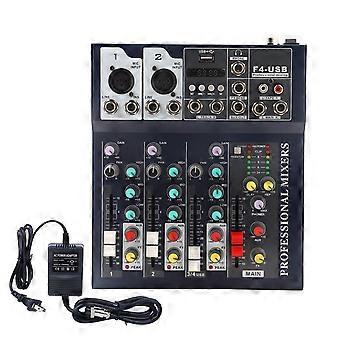
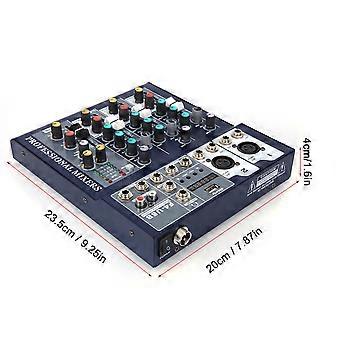
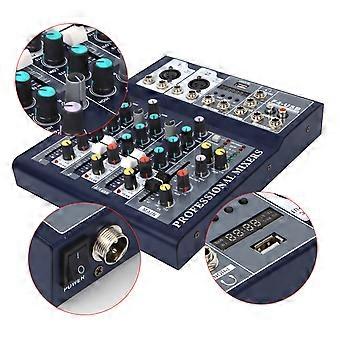
Professional Sound Mixer 4channel Mixing Console With For Bluetooth Us Plug 110240v
Item Type: Mixer
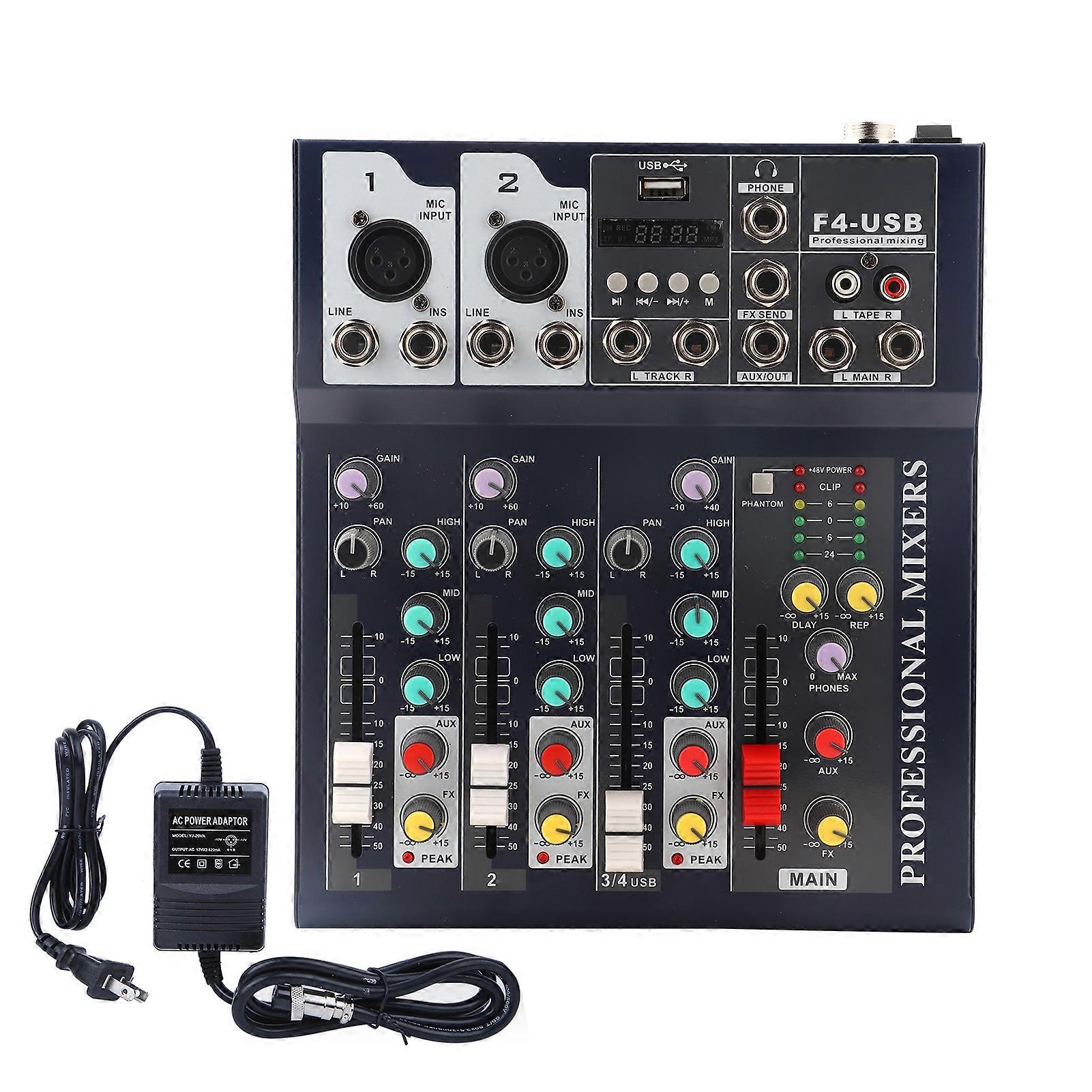
1. Microphone input, 1 pin screen ground 2 pin-signal + 3 pin signal, balanced 14"socket, receiving balanced or unbalanced sound source. Such as keyboard or other instruments
2. Line input, top signal + ring = signal.
3. Insert the special IN 1/4 "IN SERT" socket, which allows the processing equipment to be inserted into the signal channel, which is particularly useful for processing live singing.
A balanced 1/4 socket connector is used to input stereo left and right balanced signals.
4. Stereo input
5. Monitor the headphone output. Use stereo headphones to connect this socket to monitor the total output and the input of each channel.
6. Effect output. This socket is used to connect an external digital delay or effect device, output EF signal, and connect to IN terminal. Auxiliary output
7. Recording output, it is a stereo sound output signal socket, connected to the recording input part of the recorder, and can record the mixer
8. Left / right channel total output balanced interface, pin 3 = signal + pin 2 = signal. Pin 1 = ground
9. Through this interface, you can connect an active monitor speaker or monitor power amplifier to return music to the tuner or actor to effectively control and monitor the sound effect.
Input control section:
10. Gain adjustment. Adjust this knob to achieve microphone gain from -60dB to -20dB.
11. Assignment control (sound image localization control). Adjust this knob to distribute the signal to the left and right buses in different amounts. When the knob is at the center, the signal on the right main line is the same. Increase, when the left sound i is to the right, the left channel increases and the right channel decreases. When turning right to the end, the left channel is turned off
12. Three-band equalizer, using the British equalizer, the equalizer is more musical, and the sound of each band is more pure.
13. Auxiliary output control. Adjust this knob to control the level of the monitor auxiliary output channel.
14. Channel adjustment. Adjust this slider to control the total channel signal to match the overall performance.
15. Reverb effect control, when you want to get different delay effects, you can control the input level by adjusting this button
General control part:
16. Phantom power switch, master volume level display (two sets of three-color, five-segment beam meter), is the left and right channel output level state, in order to avoid signal distortion, please do not let the output level exceed the peak value. The above are + 48V power and main power indicators
17. Level indication
18. Effect feedback level adjustment. Adjust the knob to control the return level.
19. Delay time. Adjust this knob to change the delay time. By adjusting this knob, you can adjust the headphone, monitor line, and output volume.
20. Headphone monitor volume adjustment
21. Auxiliary output volume adjustment. By adjusting this knob, you can adjust the auxiliary output level. Use this knob to adjust the volume level of the final effect section.
22. Reverb level adjustment
23. The main signal output controls the fader. By adjusting this fader, you can control the output level of the main signal.
24.USB input 25.MP3 playback control area
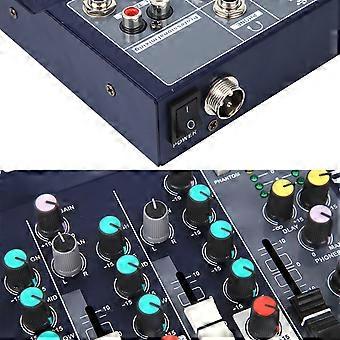
26. Power switch
27. Power Interface
28. Optical fiber interface
Package List
1 x Mixer
1 x Adapter
1 x User Manual
1. Please read the user manual carefully before using this machine. And save it for future reference.2. Do not use this unit near water. For example: near bathtubs, kitchen sinks, laundry sinks, wet underground pools, etc.3. Ventilation, the machine should be placed in a well-ventilated place. For example: it should not be placed on a bed, sofa, rug or similar surface to block the air vents and obstruct the air flow.4. The machine should not be placed near heat sources, such as radiators, stove, or heat generating machines, including amplifiers, to generate power5. Connect the power supply of this machine according to the type of power marked on the machine.6. Protection of the power cord. Do not tie or tie the power cord with other wires, or dispose of the power cord in the ground source plug and socket where people often move.7. Cleaning. The machine should be cleaned using the method recommended by the manufacturer.When not in use, unplug it for a long time.
1The 4-channel mixer has high dynamic margin 2With 2 microphone/line inputs, which has studio-quality audio 3Powered by an external 220V power adapter 4Provides 48V phantom power, can be connected to laptops, computers, audio equipment 5The high quality mixer is suitable for music stage performances
-
Identificação da Fruugo:
308763849-691303360
-
EAN:
8796657768753