jixopn Sensitive Pencil for compatible with Microsoft Surfaceicrosoft Surface Pro 3 4 5 6 7 8 Universal Write Pen Notebook Bluetooth-Compatible

54,00 €
Envio GRATUITO

jixopn Sensitive Pencil for compatible with Microsoft Surfaceicrosoft Surface Pro 3 4 5 6 7 8 Universal Write Pen Notebook Bluetooth-Compatible

  • Marca: Unbranded
Vendido por:

jixopn Sensitive Pencil for compatible with Microsoft Surfaceicrosoft Surface Pro 3 4 5 6 7 8 Universal Write Pen Notebook Bluetooth-Compatible

  • Marca: Unbranded

54,00 €

Economize 30,00 € (35%)

PVP

84,00 €
Em stock
Envio GRATUITO

Política de Devoluções de 14 Dias

Vendido por:

54,00 €

Economize 30,00 € (35%)

PVP

84,00 €
Em stock
Envio GRATUITO

Política de Devoluções de 14 Dias

Métodos de pagamento:

Descrição

jixopn Sensitive Pencil for compatible with Microsoft Surfaceicrosoft Surface Pro 3 4 5 6 7 8 Universal Write Pen Notebook Bluetooth-Compatible

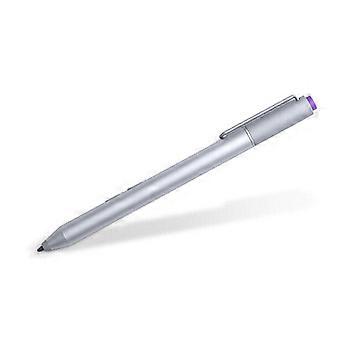
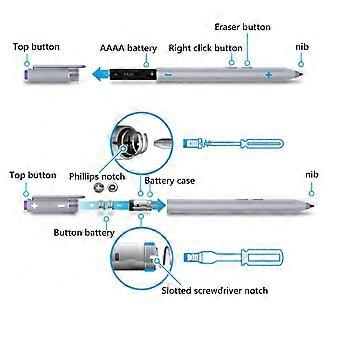
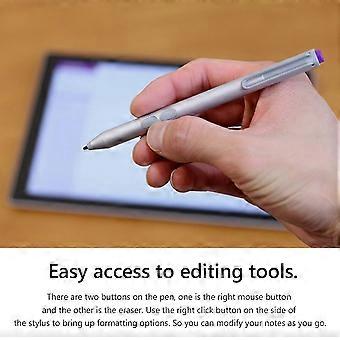
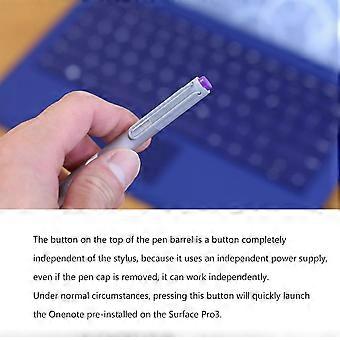
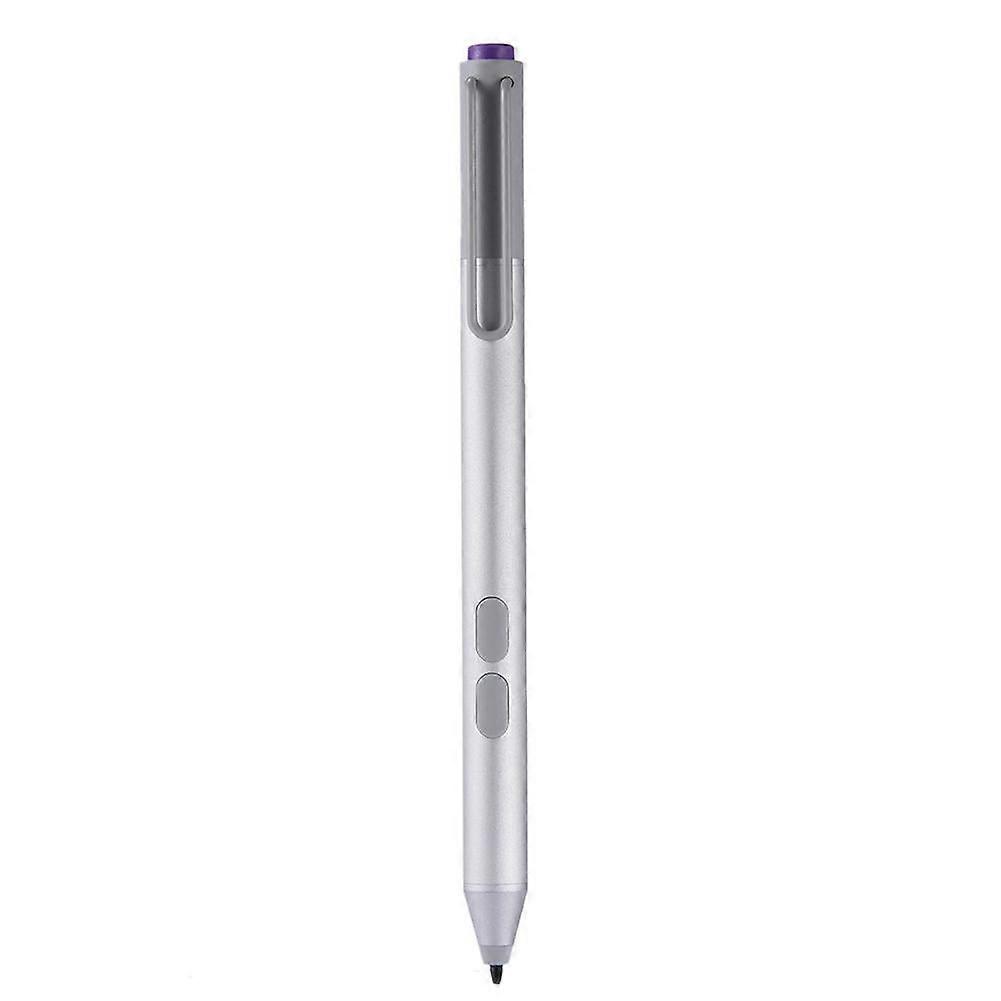
Sensitive Stylus Pencil for compatible with Microsoft Surfaceicrosoft Surface Pro 3 4 5 6 7 8 Laptop Write Pen Notebook Bluetooth-Compatible with Screenshot Paint Accessory Feature: Bluetooth-compatible connection. There is no need to worry about the connection problem, once set, you can automatically connect to the tablet through Bluetooth-compatible. 4096 pressure sensing. For Surface Pen supports a maximum pressure sensing level of 4096 with 4096 pressure points, providing you with a unique drawing experience and instant response to accurately copy text without delay. Easy access to editing tools. There are two buttons on the pen, one is the right mouse button and the other is the eraser. Use the right click button on the side of the stylus to bring up formatting options. So you can modify your notes as you go. Long press the pen cap to pair, double click to cut the picture. Hold down and hold down for 10 seconds. When the yellow indicator blinks, tap match in system setting-Bluetooth-compatible Device. Click the purple button to call out onenote. Double-click the button to call out Onenote Humanized button, convenient productivity. The upper part is the right button, which can realize the right mouse button function; The lower part is eraser delete button, which can realize eraser and delete function in supported software Specification: Color: Silver Material: aluminum case Pressure sensing: 4096 grade pressure sensing Connectivity: Bluetooth-compatible 4.0 Button: Right click and clear Battery: 2 button batteries; 1 AAAA battery Function: Support bluetooth-compatible connection and screen capture with eraser deletion function Size: Diameter: 9.5mm/0.37in; Length: 135 mm/5.3in + / - 1 mm Weight: 20 g Applicable model: For compatible with Microsoft Surfaceicrosoft Surface 3 For compatible with Microsoft Surfaceicrosoft Surface Pro 3 For compatible with Microsoft Surfaceicrosoft Surface Pro 4 For compatible with Microsoft Surfaceicrosoft Surface Pro 5 For compatible with Microsoft Surfaceicrosoft Surface Pro 6 For compatible with Microsoft Surfaceicrosoft Surface Pro 7 For compatible with Microsoft Surfaceicrosoft Surface Pro 8 For compatible with Microsoft Surfaceicrosoft Surface Pro X For compatible with Microsoft Surfaceicrosoft Surface Book1/2/3 For compatible with Microsoft Surfaceicrosoft Surface Laptop1/2/3/4 For compatible with Microsoft Surfaceicrosoft Surface Studio For compatible with Microsoft Surfaceicrosoft Surface Go1/Go2/Go3 Note: Due to the different monitor and light effect, the actual color of the item might be slightly different from the color showed on the pictures. Thank you! Please allow 1-2cm measuring deviation due to manual measurement. Included: 1 x Stylus Pencil Bluetooth-compatible connection. There is no need to worry about the connection problem, once set, you can automatically connect to the tablet through Bluetooth-compatible. 4096 pressure sensing. For Surface Pen supports a maximum pressure sensing level of 4096 with 4096 pressure points, providing you with a unique drawing experience and instant response to accurately copy text without delay. Easy access to editing tools. There are two buttons on the pen, one is the right mouse button and the other is the eraser. Use the right click button on the side of the stylus to bring up formatting options. So you can modify your notes as you go. Long press the pen cap to pair, double click to cut the picture. Hold down and hold down for 10 seconds. When the yellow indicator blinks, tap match in system setting-Bluetooth-compatible Device. Click the purple button to call out onenote. Double-click the button to call out Onenote Humanized button, convenient productivity. The upper part is the right button, which can realize the right mouse button function; The lower part is eraser delete button, which can realize eraser and delete function in supported software
  • Identificação da Fruugo: 448162799-941946318
  • EAN: 9114532437485

Informações de segurança do produto

Consulte as informações de segurança do produto específicas para este produto descritas abaixo

As informações a seguir são fornecidas pelo revendedor independente que vende este produto.

Avisos de segurança: Warning to keep away from water to prevent electric shocks.
Ingredientes: Other

Entrega e Devoluções

Enviado dentro de 3 dias

  • STANDARD: GRÁTIS - Entrega entre quarta 31 dezembro 2025–quinta 08 janeiro 2026 - GRÁTIS

Enviamos a partir de China.

Fazemos o nosso melhor para garantir que os produtos que encomendar lhe serão entregues na totalidade e conforme as suas especificações. No entanto, se receber uma encomenda incompleta ou itens diferentes dos que encomendou, ou existir qualquer outra razão pela qual não estiver satisfeito com a sua encomenda, poderá devolver a encomenda ou quaisquer produtos incluídos na mesma, e receber um reembolso total dos itens. Ver a política de devoluções na íntegra

Detalhes de conformidade do produto

Consulte as informações de conformidade específicas para este produto descritas abaixo.

As informações a seguir são fornecidas pelo revendedor independente que vende este produto.

Fabricante:
As informações seguintes apresentam os dados de contacto do fabricante do produto em causa vendido na Fruugo.

  • Yang Yue
  • Lixian Penghui Trading Co., Ltd.
  • Group 5,Renhe Village
  • Changde City
  • CN
  • 415500
  • buzhengchanga@outlook.com
  • +1(319)277-0024

Pessoa responsável na UE:
As informações seguintes apresentam os dados de contacto da pessoa responsável na UE. A pessoa responsável é o operador económico designado, sedeado na UE, incumbido das obrigações de conformidade relativas ao produto em causa vendido na União Europeia.

  • eVatmaster Consulting GmbH
  • eVatmaster Consulting GmbH
  • Raiffeisen Street2 B1l
  • Rodgau
  • DE
  • 63110
  • contact@evatmaster.com
  • +49 61062699873