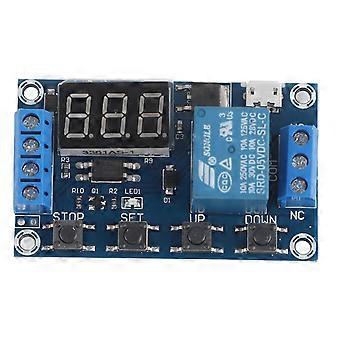
DC 6V~30V Trigger Delay On/Off Cycle Timer Relay Switch Module w/Digit LED Display Micro USB 5V

8,95 €
Envio GRATUITO

DC 6V~30V Trigger Delay On/Off Cycle Timer Relay Switch Module w/Digit LED Display Micro USB 5V

  • Marca: Unbranded
Vendido por:

DC 6V~30V Trigger Delay On/Off Cycle Timer Relay Switch Module w/Digit LED Display Micro USB 5V

  • Marca: Unbranded

8,95 €

Economize 6,00 € (40%)

PVP

14,95 €
Em stock
Envio GRATUITO

Política de Devoluções de 14 Dias

Vendido por:

8,95 €

Economize 6,00 € (40%)

PVP

14,95 €
Em stock
Envio GRATUITO

Política de Devoluções de 14 Dias

Métodos de pagamento:

Descrição

DC 6V~30V Trigger Delay On/Off Cycle Timer Relay Switch Module w/Digit LED Display Micro USB 5V

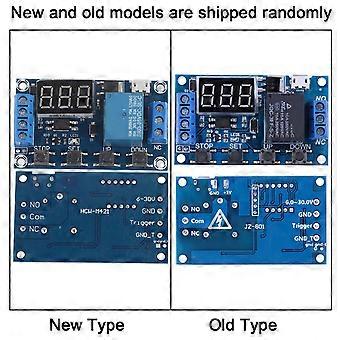
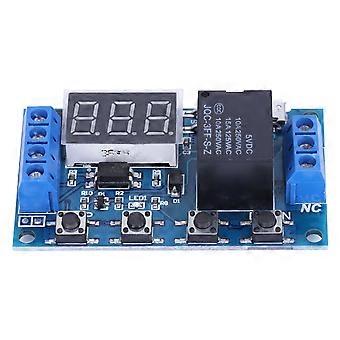
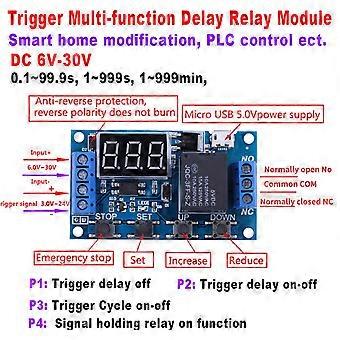
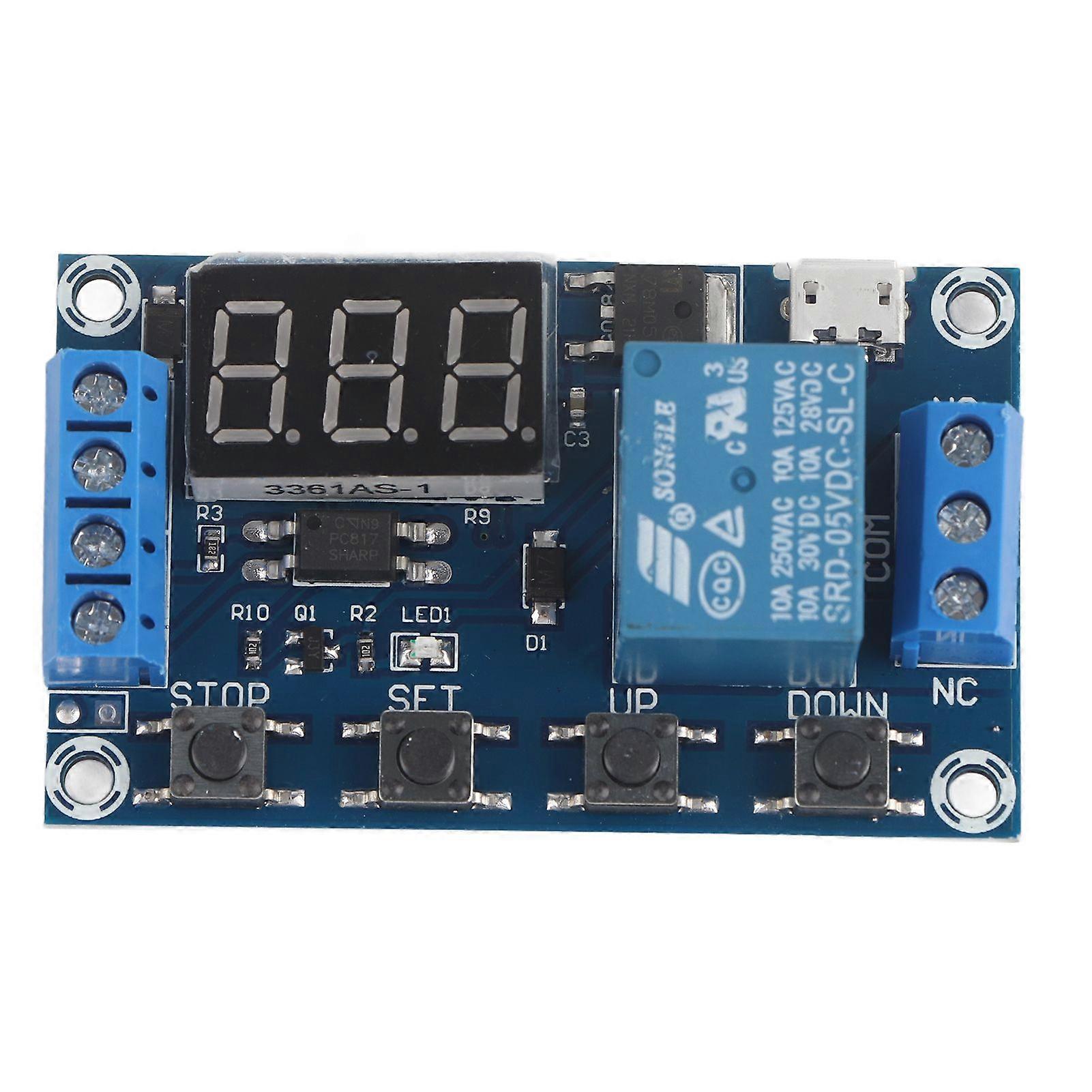
Features:Wide DC power supply voltage from 6V to 30V, support micro USB 5.0V power supply, very convenient to use.Interface is clear, simple and powerful, easy to understand, almost meet all your needs.The module supports reverse input protection, and there is a STOP button for emergency stop function. Added sleep mode, it will automatically turn off display if no operation in 5 minutes after enabled, and you can press any button to wake it up.You can set different OP, CL, LOP parameters, these parameters were independent of each other and saved respectively.All set parameters will be automatically saved if there is a power failure.With optical coupling isolation, improved anti-interference ability, industrial level circuit board.Specifications:Voltage: 6V~30V(support micro USB 5.0V)Quiescent Current: 20mAOperating Current: 50mAOperating Temperature: -40℃~85℃Size: Approx. 6.2*3.8*1.7cm / 2.44*1.49*0.67"Timing Range: 0.1seconds to 999 minutes(continuously adjustable)Instruction:Operation Mode:P1: After triggering signal, switch isconnected for "OP"time, then disconnected; within the "OP"time:P1.1:if trigger signal again,it isinvalid.P1.2: if trigger signal again, restart timing.P1.3: if trigger signal again, switch is disconnected, stop timing.P-2: After triggeringsignal, switch is disconnected for "CL"time, then switch is connected for "OP"time, and disconnect after timing.P3.1: After triggering signal, switch is connectedfor "OP"time, then switch is disconnected for "CL"time, and enter loop. Iftrigger signal during loop, switch is disconnected and stop timing. The loop times(LOP) can be set.P3.2: After power on, no need triggersignal, switch will be connected for "OP"time, then disconnected for "CL"time, and enter loop. The loop times (LOP) can be setP-4: Signal holding function. If there is triggersignal, timing will be reset, switch remains connected; when the signaldisappears, it will disconnect after "OP"time. During timing, if there is asignal, timing will be reset.OP: Connect time. CL: Disconnect time. LOP:Loop times(1~999, "---"indicates infinite times)All above parameters are independent fromeach other, but all modes use the same parameters. For example, if set OP timeas 5 seconds in P1.1, then change to P1.2, then the OP time in P1.2 will also be5 seconds.Press SET button at the main interface (display000), it will show OP(CL, LOP) and corresponding time.If there is only OP mode (e.g. P1.1,P1.2, P1.3), press SET button todisplay OP and corresponding time only.If there are OP, CL, LOP modes (e.g.P3.1,P3.2), press SET button to display OP, CL, LOP and corresponding time.After setting mode, press SET button at themain interface to check the parameter of present mode.How to Choose Timing Range:After setting parameter in the interface selectionmode, press the STOP button to select the time range:XXX. If the last decimalpoint lights up, the time range is 1sec to 999sec.XX.X If the second lastdecimal point lights up, the time range is 0.1sec to 99.9sec.X.X.X.If all decimal pointslight up, the time range is is 1 min to 999 min.For example, if you set OP as 3.2 seconds,the make the second last point light up, and it displays 03.2How to Set Parameter:1. Make sure operation mode.2. According to the operation mode, at maininterface(after power on, it will flash present mode then enter main interface),press and hold SET button for 2 seconds to enter mode selection interface, thenpress UP, DOWN button to choose mode (P1.1~P-4) 3. After selecting mode, press short SET buttonto set the corresponding parameter, then the parameter you want to set willflash. Press UP, DOWN button to set value, then press STOP button to selecttime range. Press SET button to set next parameter.4. After setting mode parameter, press andhold the SET button for 2 seconds then the present mode will flash, and go backto the main interface.Main interface: when relay does not work,it shows "000" (no decimal point); when relay is working, it shows decimalpointMode Selection Interface: Press and hold SETbutton to enter. After setting, press and hold SET button to back to maininterface.Relay Enable Mode:1. NO: Connection is allowed during OP time.2. OFF: Connection is not allowed, always turnedoff.Press STOP button at main interface tochange between ON and OFF, the present state will flash then back to maininterface. (This is emergency stop function, used to disconnect relay.)Sleep Mode:C-P sleep mode: if no operation within 5minutes; display will close automatically while procedure runs normally.O-d normal mode: displays always shows.Press and hold STOP button for 2 seconds tochange between C-P and O-d, present state will flash and then back to the maininterface.Package Includes:1 x Timer Switch ModuleNote:Please note that the new type and old type of this product will be sent randomly, and make sure you will not mind before ordering. .
  • Identificação da Fruugo: 425579274-893988090
  • EAN: 7847689374175

Informações de segurança do produto

Consulte as informações de segurança do produto específicas para este produto descritas abaixo

As informações a seguir são fornecidas pelo revendedor independente que vende este produto.

Etiquetas de segurança do produto

CE Mark
Avisos de segurança: Warning: Please read the product instructions carefully before use to ensure correct use.
Número de série: 7847689374175

Entrega e Devoluções

Enviado dentro de 2 dias

  • STANDARD: GRÁTIS - Entrega entre terça 27 janeiro 2026–segunda 02 fevereiro 2026 - GRÁTIS

Enviamos a partir de China.

Fazemos o nosso melhor para garantir que os produtos que encomendar lhe serão entregues na totalidade e conforme as suas especificações. No entanto, se receber uma encomenda incompleta ou itens diferentes dos que encomendou, ou existir qualquer outra razão pela qual não estiver satisfeito com a sua encomenda, poderá devolver a encomenda ou quaisquer produtos incluídos na mesma, e receber um reembolso total dos itens. Ver a política de devoluções na íntegra

Detalhes de conformidade do produto

Consulte as informações de conformidade específicas para este produto descritas abaixo.

As informações a seguir são fornecidas pelo revendedor independente que vende este produto.

Fabricante:
As informações seguintes apresentam os dados de contacto do fabricante do produto em causa vendido na Fruugo.

  • Shenzhen Mutalai Technology Co., Ltd.
  • Shenzhen Mutalai Technology Co., Ltd.
  • 71001-187, 7/F, Building D, Gaoke Mansion, No. 2076 Yuanyuan Avenue
  • Nanshan Street
  • Nanshan District
  • Shenzhen
  • CN
  • 518000
  • gbyhynnygt@126.com
  • 18664978705
  • https://detail.1688.com/offer/593788918206.html?spm=a2615.7691456.autotrace-offerGeneral.7.4cc915345wLsDx

Pessoa responsável na UE:
As informações seguintes apresentam os dados de contacto da pessoa responsável na UE. A pessoa responsável é o operador económico designado, sedeado na UE, incumbido das obrigações de conformidade relativas ao produto em causa vendido na União Europeia.

  • None
  • Kequ Technology s.r.o.
  • Pražákova 1008/69
  • Štýřice
  • Jihomoravský kraj
  • Brno
  • CZ
  • 63900
  • christopher25106@outlook.com
  • 420608214795
  • https://www.noon.com/uae-en/p-29378/